Loading...
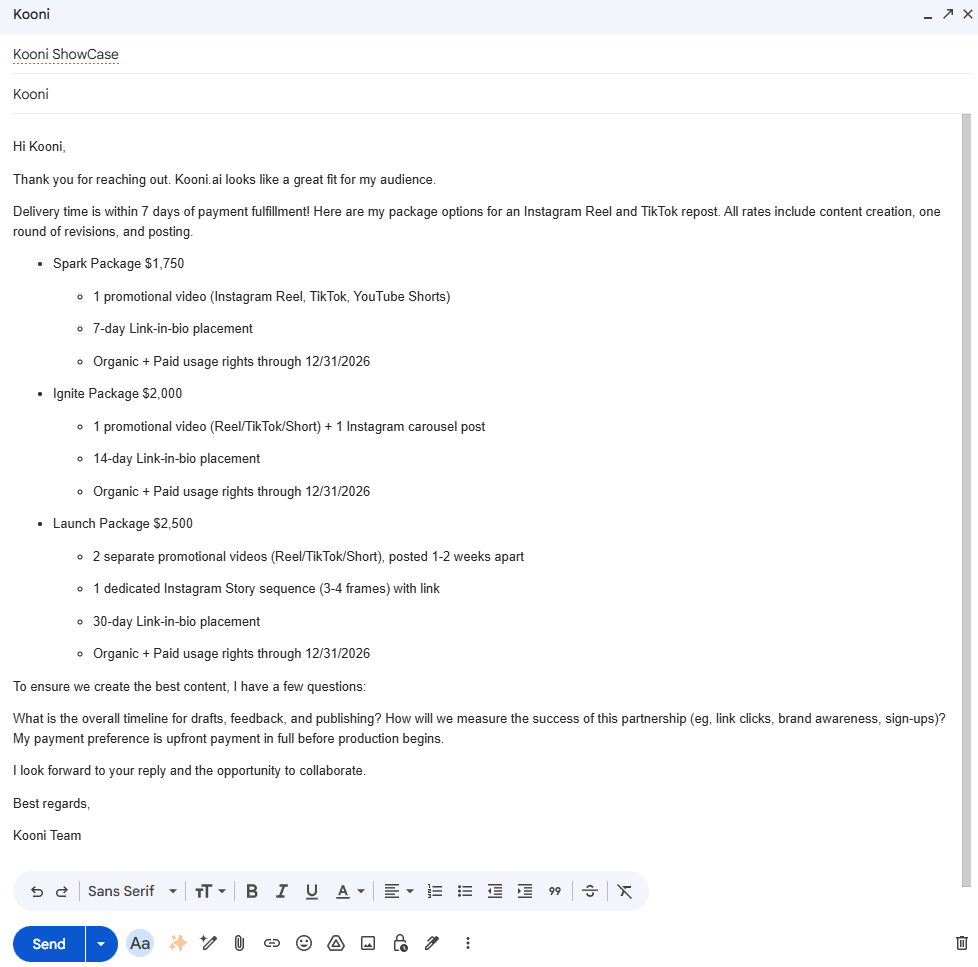
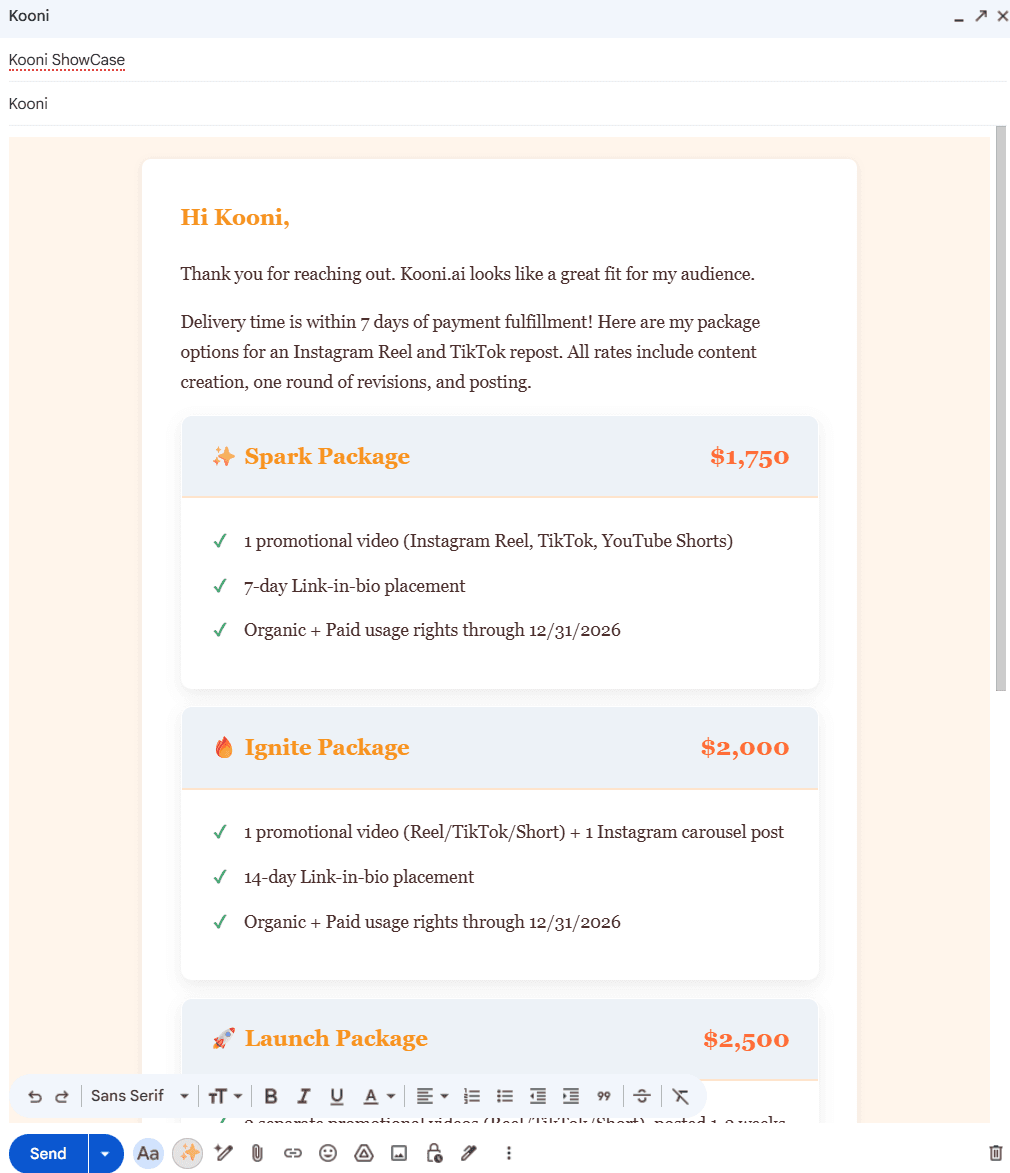
Before
Transform your emails in seconds
Instantly Polished Emails
Turn plain text into polished, professional emails with one click. Works right in Gmail — no design skills needed.
Free to start • No credit card required • Works in Gmail
Email Formatting, Simplified
Everything you need to create professional emails that leave a lasting impression
One-Click Transform
Select your text, click the button, and watch it transform into a polished email
AI-Powered Styling
Smart formatting that understands your content and applies perfect styling
Lightning Fast
Get professional results in seconds, not minutes of manual formatting
Core Feature
One-Click Email Transformation
Stop spending time on manual formatting. Write your email in plain text, click the Kooni AI button, and instantly get a beautifully styled, professional email ready to send.
- Automatic paragraph formatting and spacing
- Smart heading detection and styling
- Professional typography and alignment
- Preserves your links and attachments
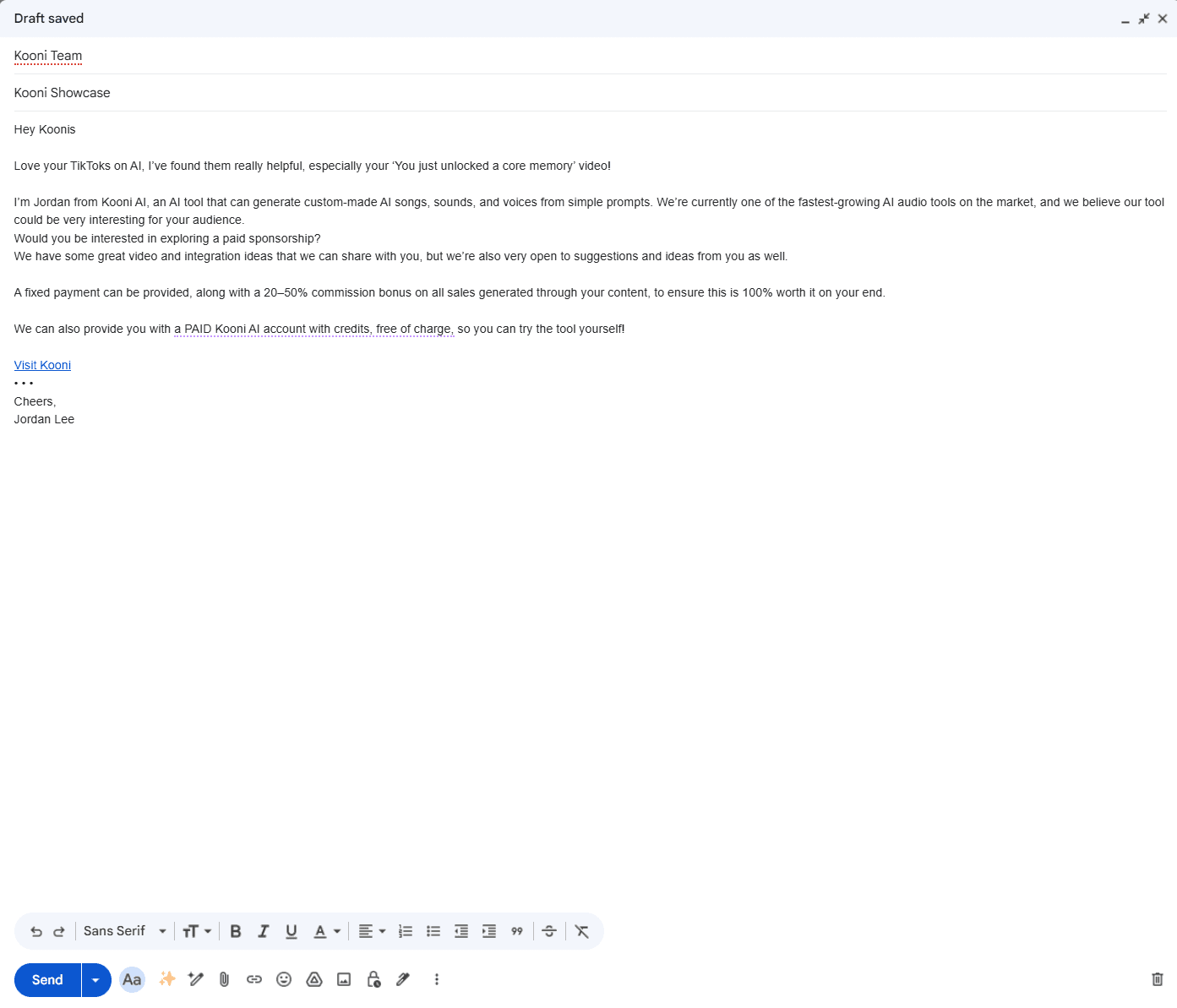
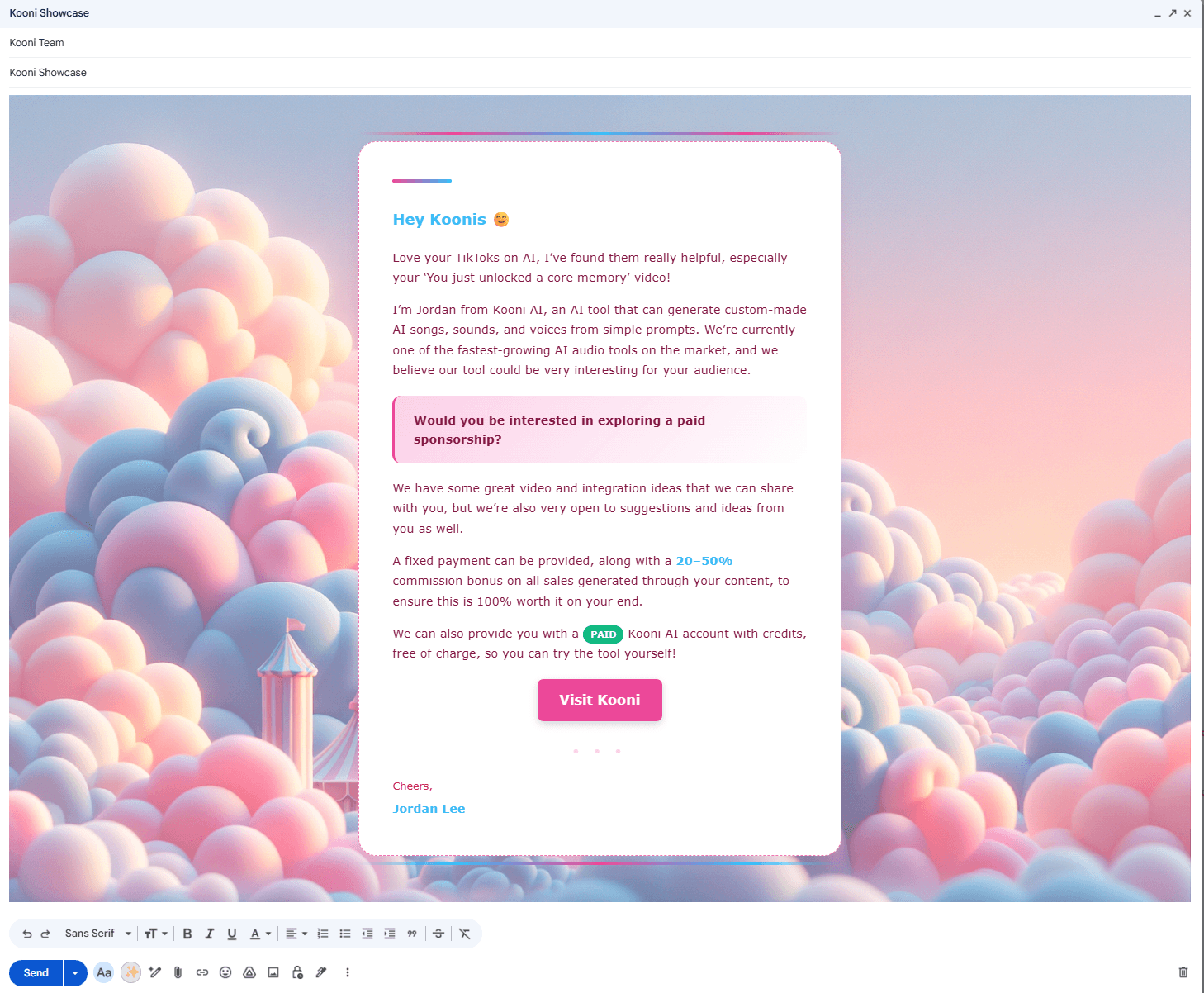
Before
Chrome Extension
Seamless Gmail Integration
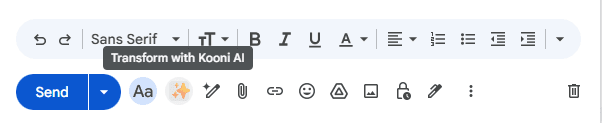
Kooni AI works directly in your Gmail compose window. No switching tabs, no copy-pasting, no extra steps. Just write and transform.
- Works in compose and reply windows
- Integrates with Gmail's native interface
- One-click access from the compose toolbar
- No disruption to your workflow
Customization
Beautiful Themes for Every Occasion
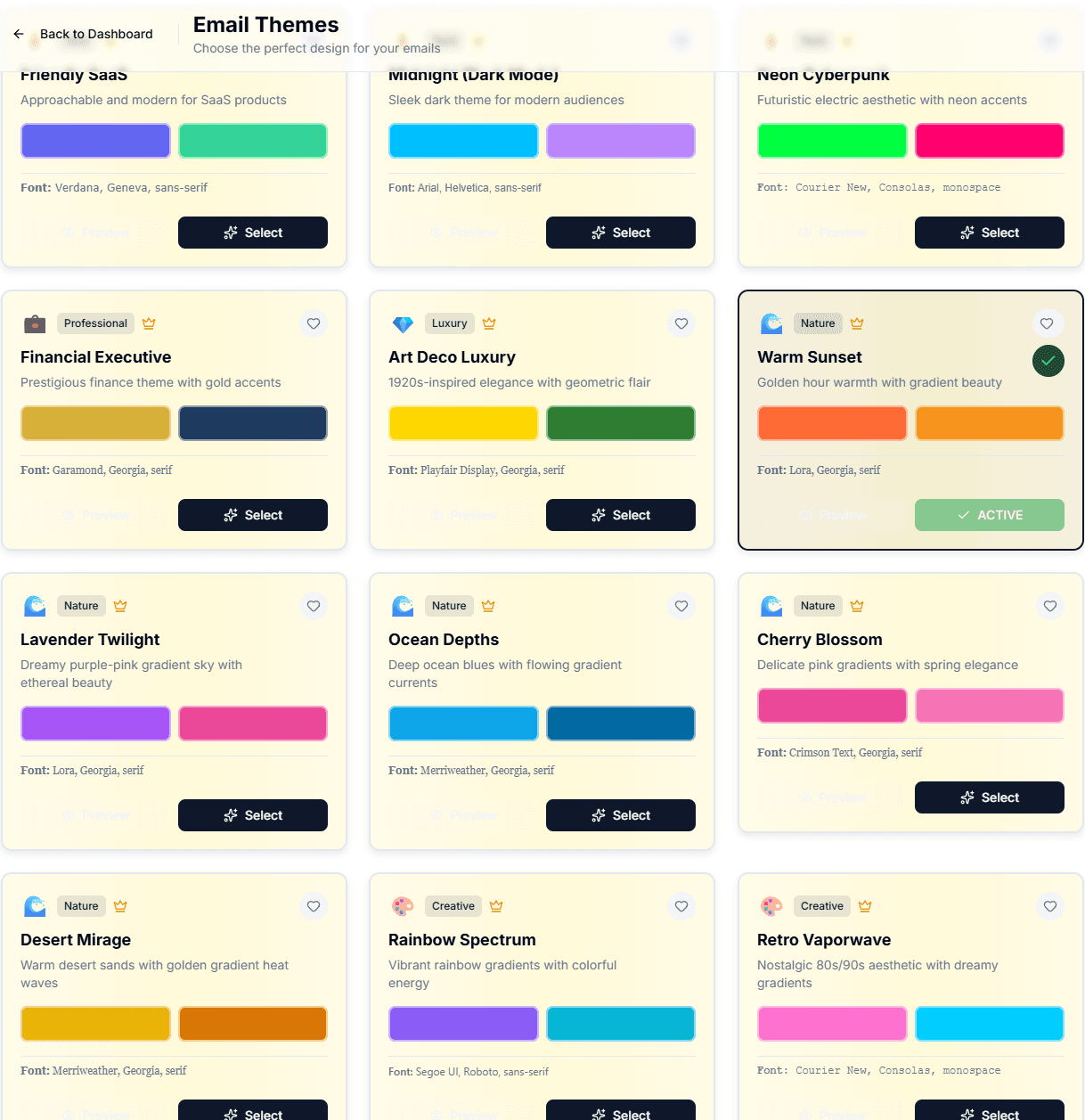
Choose from professionally designed themes or create your own. From formal business communications to creative newsletters, we've got you covered.
- Multiple pre-designed professional themes
- Custom theme builder for Pro users
- Save and reuse your favorite styles
- Preview before applying
Simple, Transparent Pricing
Start free, upgrade when you need more
Free
$0/ month
Perfect for trying out Kooni AI
- 10 email conversions per month
- All premium themes
- Gmail Chrome extension
- "Powered by Kooni AI" branding
Most Popular
Pro
$9.94/ month
14-Day Free Trial
For professionals who email frequently
- Unlimited email conversions
- All premium themes
- Custom theme builder
- No branding on emails
- Priority support
Frequently Asked Questions
Everything you need to know about Kooni AI
Still have questions? Contact our support team
Ready to Leave a Lasting Impression?
Install the Kooni AI Chrome extension and start sending polished, professional emails in seconds. Works right in Gmail — no formatting hassle.
Free to install • Works in Gmail • No credit card required